Teams
When you just get started with Blankly Slate, you are put on the personal account. This is where your individual models lie. You can easily upgrade your personal account to Pro if you'd like! However, if you want to invite other people to build and deploy models together, you can do so by creating a team.
Teams enables you to easily collaborate, and push backtests up together when working on different models (or the same).
Creating a Team
You can create a team by hitting the dropdown in the top left and choosing "Create a Team":
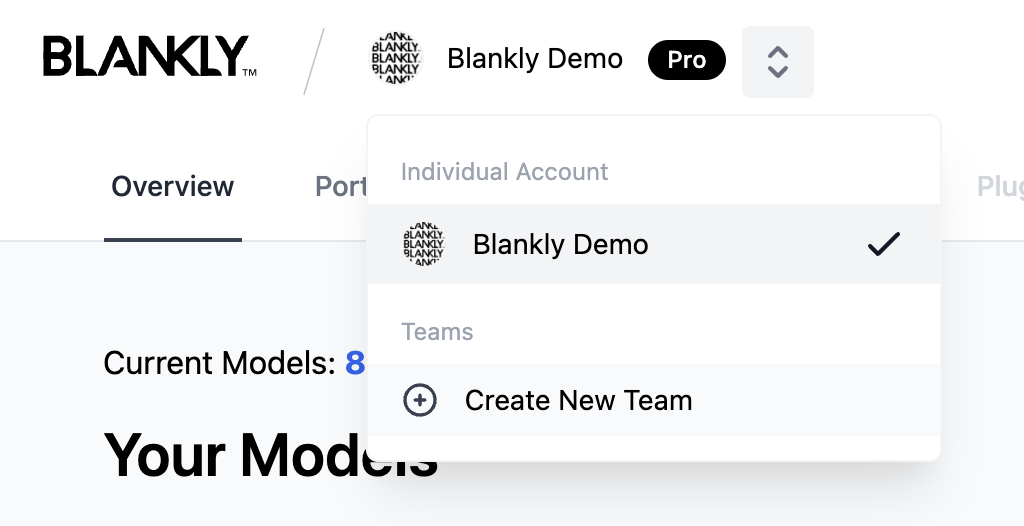
Next you will be asked to name your team and provide corresponding details along with the members that you would like to invite. Clicking save and create will finalize and create the team.
Switching Between Teams and Personal Account
To switch between teams and personal, you just simply select the dropdown in the top left and switch between your personal account and your team accounts. This allows you to load models from your team as well as any personal models that you may have.
Configuring Settings
Your settings can easily be configured on a per tab basis (individuasl can be accessed via the profile icon). Whichever context that you are in (team or personal), the associated settings will change for that context.
Leaving the Team
You can leave the team if you are a member, but cannot if you are the last Owner left.
If you are the last member, you can delete the team.